
How Mesvolo works: from zero to your first bookings in five steps
No installation, no contracts and no paying per table.
Set up your restaurant
Create your account and add the basics: name, opening hours, tables and your logo. No installs, no technicians.
- Your booking page with your brand
- Hours, shifts and capacity your way
- Ready in a few minutes
Set up your restaurant
Step 2 of 3
Restaurant name
La Trattoria
Your booking link
mesvolo.com/book/la-trattoria
Opening hours
Tue–Sun · 13:00–16:00 · 20:00–23:30
Tables
9 tables · 34 seats
Share your link
Your restaurant has its own booking link. Put it wherever your guests already find you.
- WhatsApp, Instagram and Facebook
- Your website and Google profile
- Emails and signatures
Get bookings
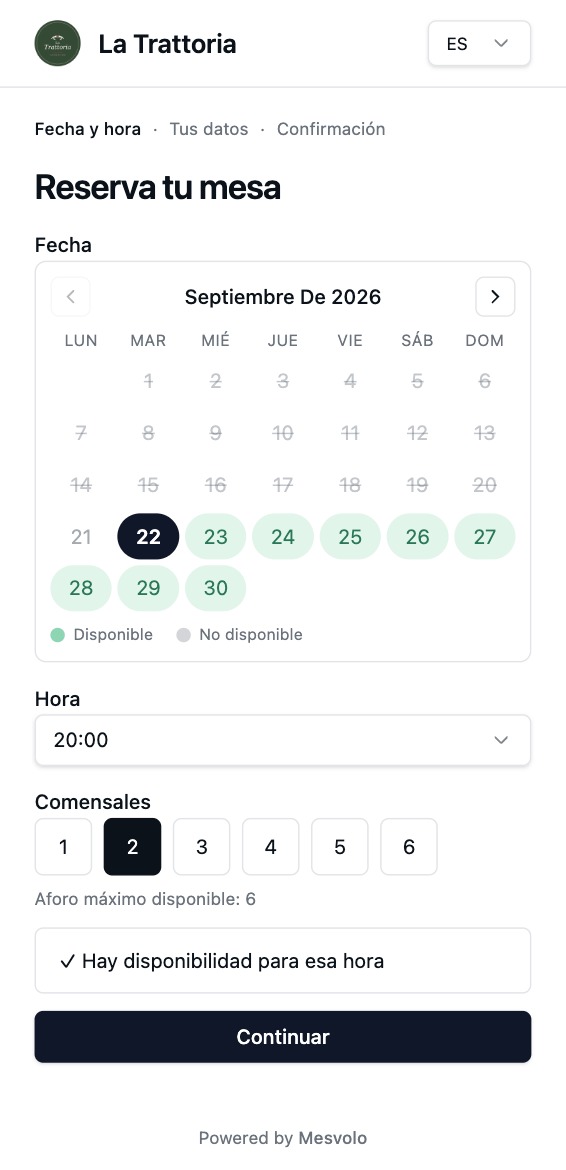
Your guests book in seconds from their phone, any time, and you get them instantly in your dashboard.
- Real availability, no phone calls
- Automatic confirmations and reminders
- Waitlist when there's no table
New booking
Fri 22 · 20:00 · 2 guests
Manage it your way
The same bookings, in three views. Pick the one that fits how you work and switch between them in one click.
Improve with Insights
Using your bookings, Insights shows which days and time slots stay empty and what you can do to fill them. On the Pro and Premium plans you can also go through it with our team in a 10-minute call.
Start today
No card, no contract and no commissions. And if you'd rather we show you, we'll call you.
I'd rather you call me